> ## Documentation Index
> Fetch the complete documentation index at: https://docs-attestly.code4source.com/llms.txt
> Use this file to discover all available pages before exploring further.
# Visual builder
> Author rulesets visually on the playground — drag nodes, connect them, run them on a map.
The **playground** is a visual environment where you can author and
test rulesets without writing JSON by hand. It pairs a map with a
graph-based **builder**, so you can draw a polygon, drop nodes onto a
canvas, connect them, and see the verdict on the same screen.
## At a glance
The playground splits the screen into three areas:
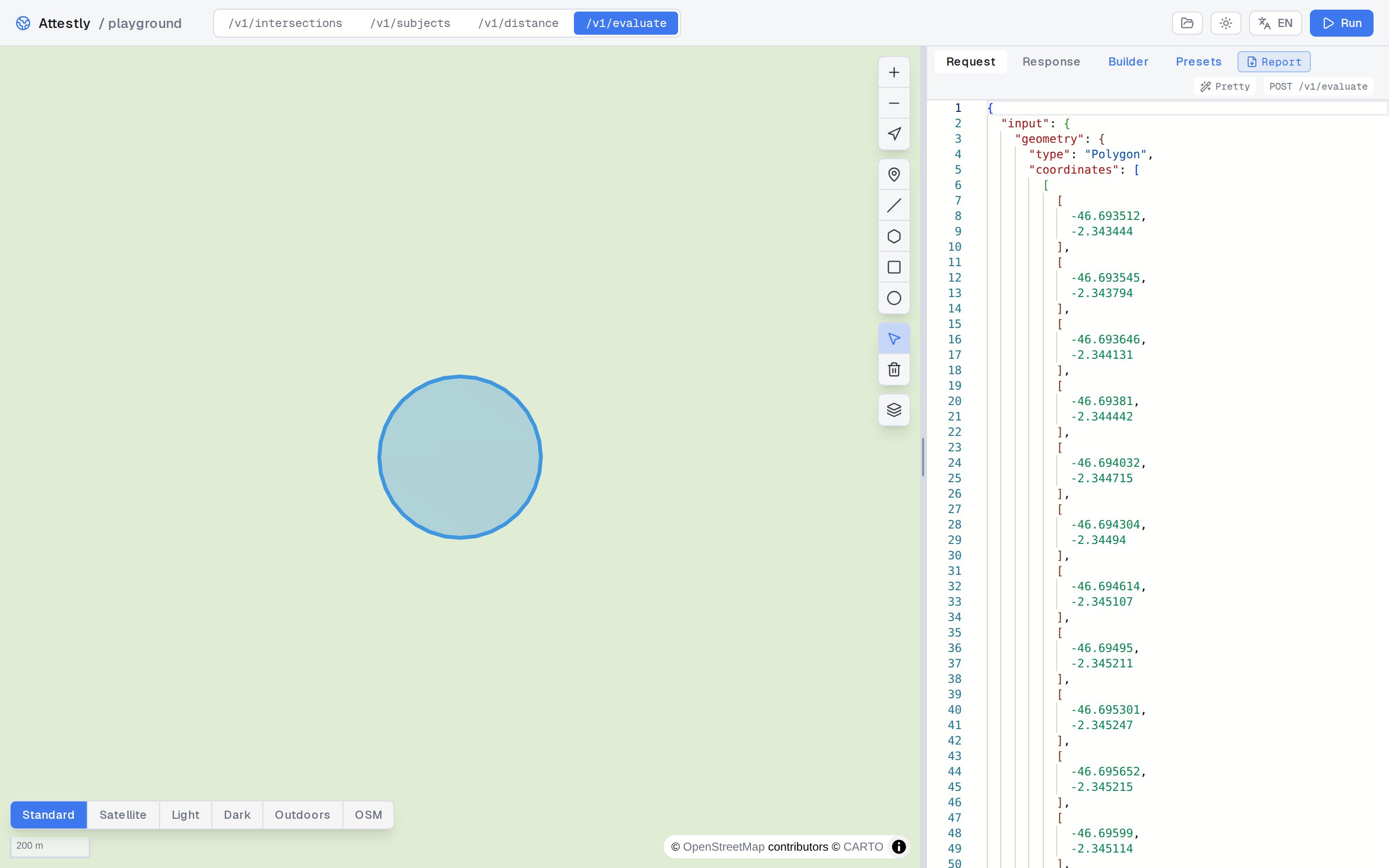
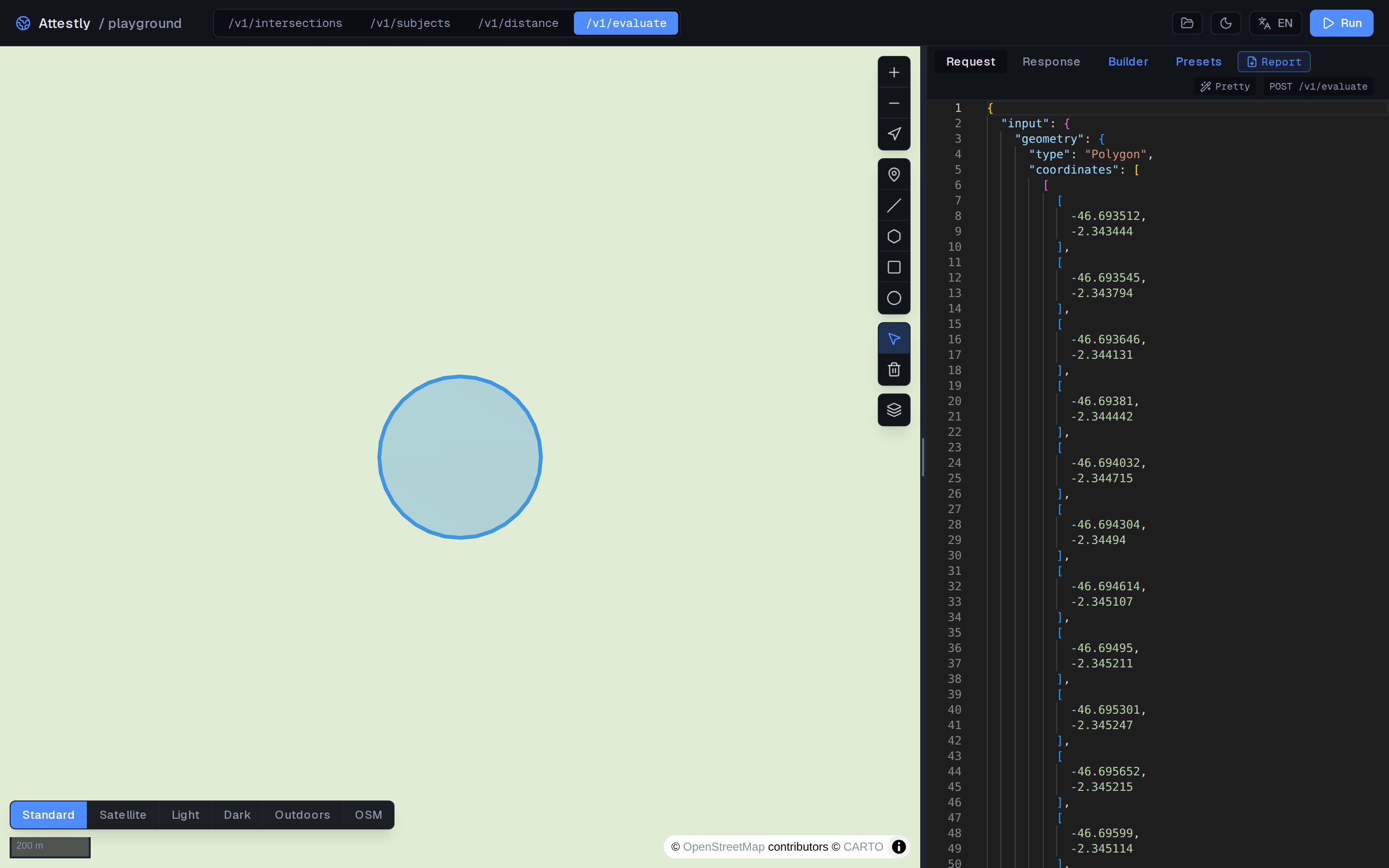 1. **Map** — draw or paste a geometry. It becomes the `$input` to
every set anchored on it.
2. **Builder canvas** — the visual ruleset. Each node is a `set`,
`projection`, `check`, or `verdict`; edges represent references
(e.g. a check pointing at a set).
3. **Panel** — the live `Run` button, the JSON view, the verdict and
evidence after each run.
## Authoring loop
The typical authoring loop:
1. Draw a polygon on the map (or paste GeoJSON).
2. Pick a starting point — either an empty canvas or a
[template](#templates).
3. Add nodes from the palette and connect them.
4. Click **Run** to evaluate against the polygon.
5. Inspect the verdict and per-check evidence.
6. Iterate.
## The palette
The sidebar palette holds the node kinds you can drop onto the
canvas:
1. **Map** — draw or paste a geometry. It becomes the `$input` to
every set anchored on it.
2. **Builder canvas** — the visual ruleset. Each node is a `set`,
`projection`, `check`, or `verdict`; edges represent references
(e.g. a check pointing at a set).
3. **Panel** — the live `Run` button, the JSON view, the verdict and
evidence after each run.
## Authoring loop
The typical authoring loop:
1. Draw a polygon on the map (or paste GeoJSON).
2. Pick a starting point — either an empty canvas or a
[template](#templates).
3. Add nodes from the palette and connect them.
4. Click **Run** to evaluate against the polygon.
5. Inspect the verdict and per-check evidence.
6. Iterate.
## The palette
The sidebar palette holds the node kinds you can drop onto the
canvas:
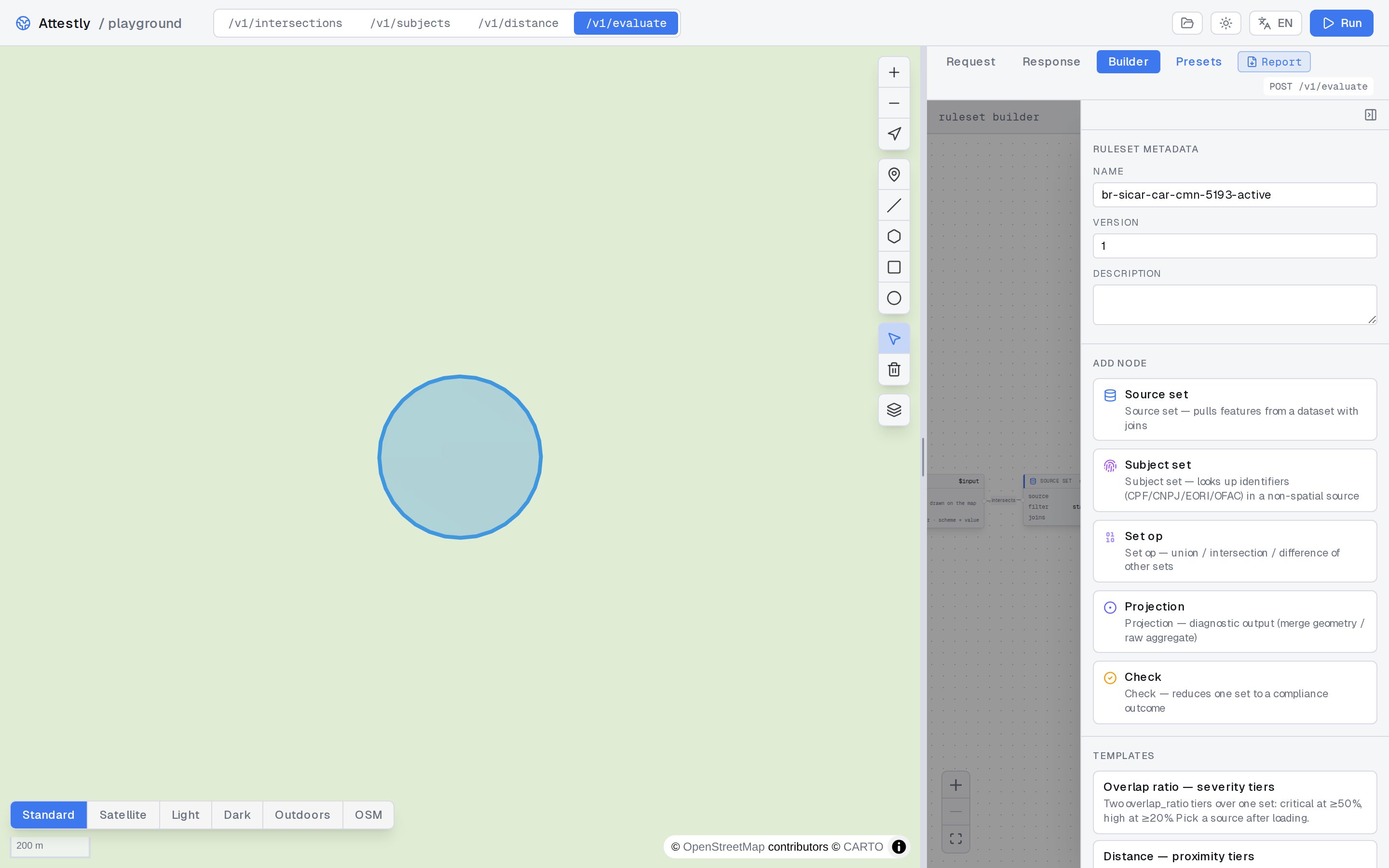
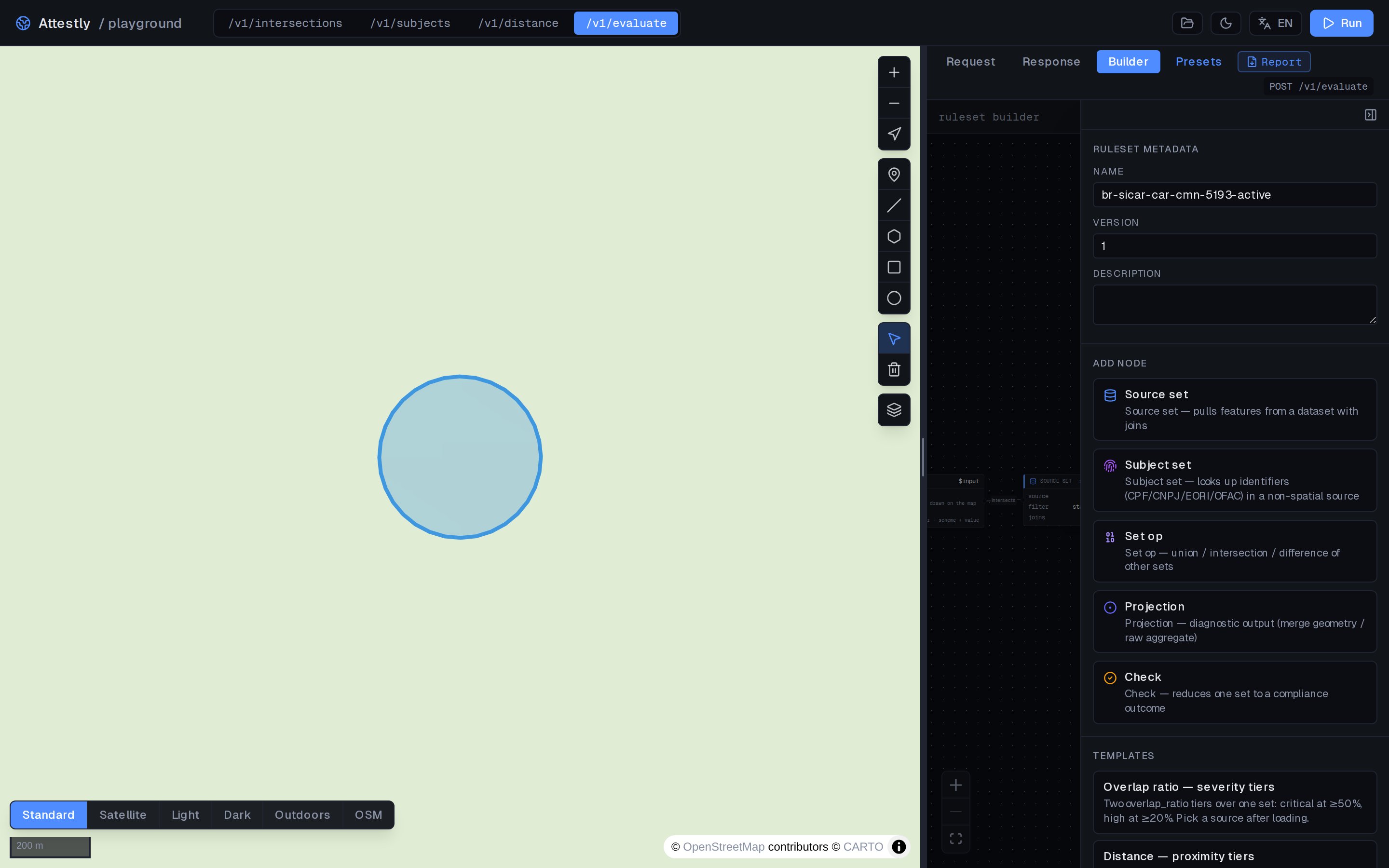 | Node | What it produces |
| ------------- | -------------------------------------------------------------------------------- |
| `source_set` | A set anchored on a spatial source (e.g. `icmbio_ucs_federais`). |
| `subject_set` | A set anchored on a subject register (e.g. `ofac_sdn`). |
| `setop_set` | A set built from `union` / `intersection` / `difference` of other sets. |
| `projection` | A scalar or geometric value computed over a set (`count`, `total_area_m2`, ...). |
| `check` | A boolean predicate with a severity. Feeds the verdict. |
Drop a node, then click it to open its **editor** in the right
sidebar.
## Editors
Every node has a typed editor. The editor enforces the same rules
that the API enforces — invalid configurations are flagged before
you run.
| Node | What it produces |
| ------------- | -------------------------------------------------------------------------------- |
| `source_set` | A set anchored on a spatial source (e.g. `icmbio_ucs_federais`). |
| `subject_set` | A set anchored on a subject register (e.g. `ofac_sdn`). |
| `setop_set` | A set built from `union` / `intersection` / `difference` of other sets. |
| `projection` | A scalar or geometric value computed over a set (`count`, `total_area_m2`, ...). |
| `check` | A boolean predicate with a severity. Feeds the verdict. |
Drop a node, then click it to open its **editor** in the right
sidebar.
## Editors
Every node has a typed editor. The editor enforces the same rules
that the API enforces — invalid configurations are flagged before
you run.
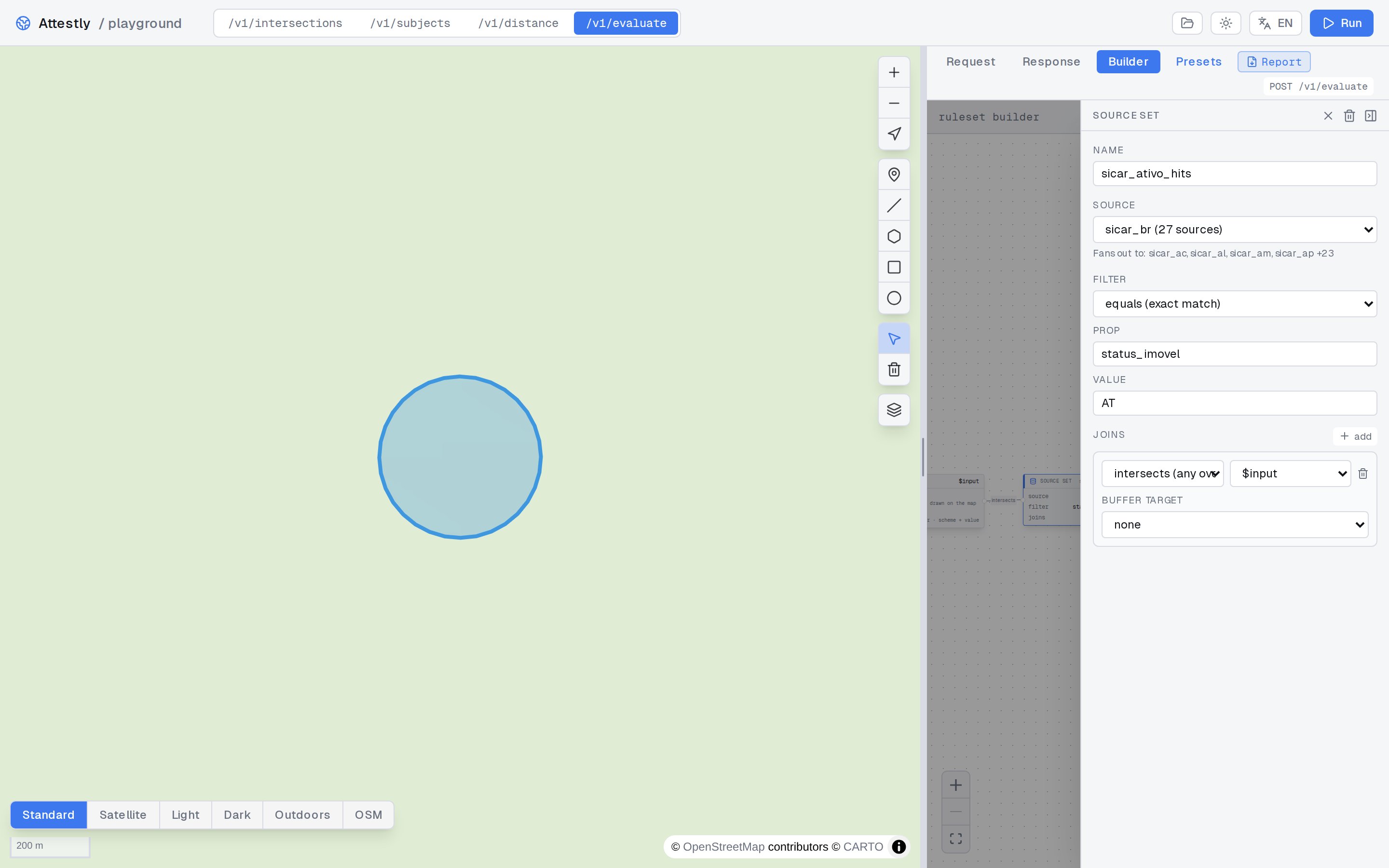
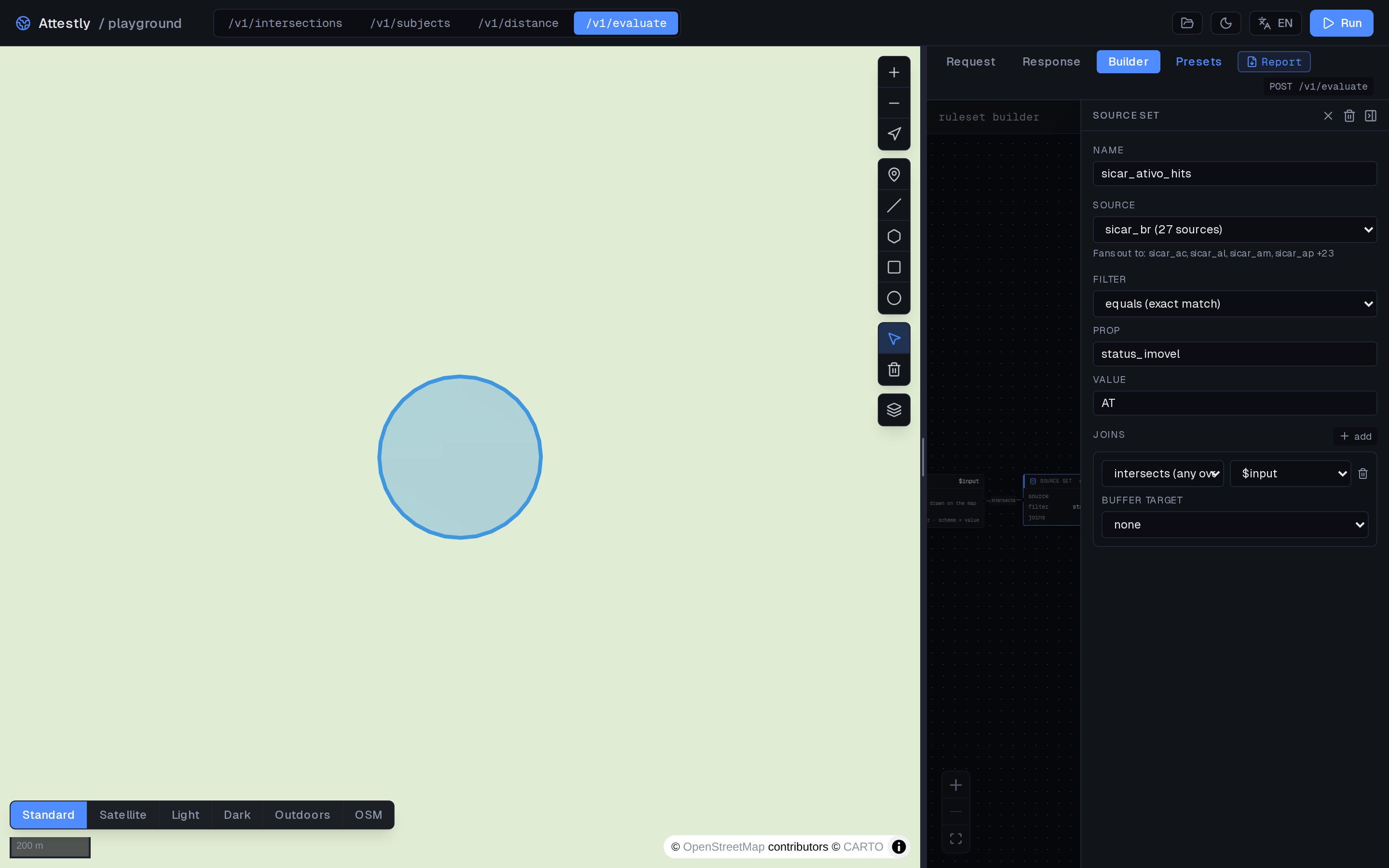 For a `source_set`, you pick:
* The **source** from the catalog (auto-suggested via
`GET /v1/sources`).
* The **join** — `intersects`, `contains`, `within`, `covers`,
`covered_by`, `overlaps`, `touches`, `crosses`, `disjoint`,
`equals`, `dwithin`, `beyond` for spatial sets; `equals` / `ilike`
when the set is anchored on a subject register.
* The **target** — `$input` or another set in the graph.
* An optional **filter** (e.g. temporal, property-equals).
For a `check`, you pick:
* The **severity** — `critical`, `high`, `medium`, `low`, `info`.
* The **predicate** — `exists` (set non-empty) or `threshold`
(referenced projection passes a comparison).
## Connecting nodes
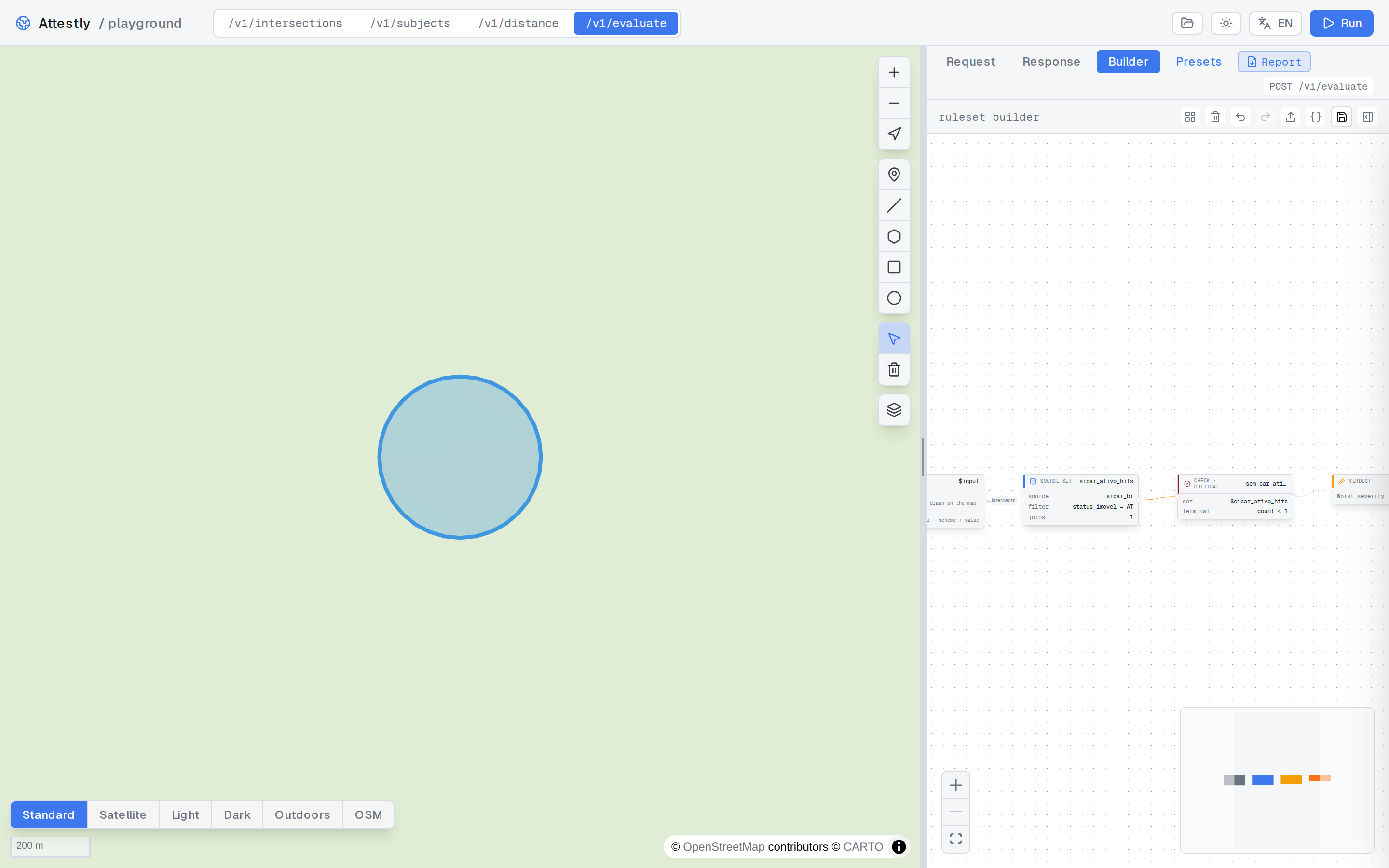
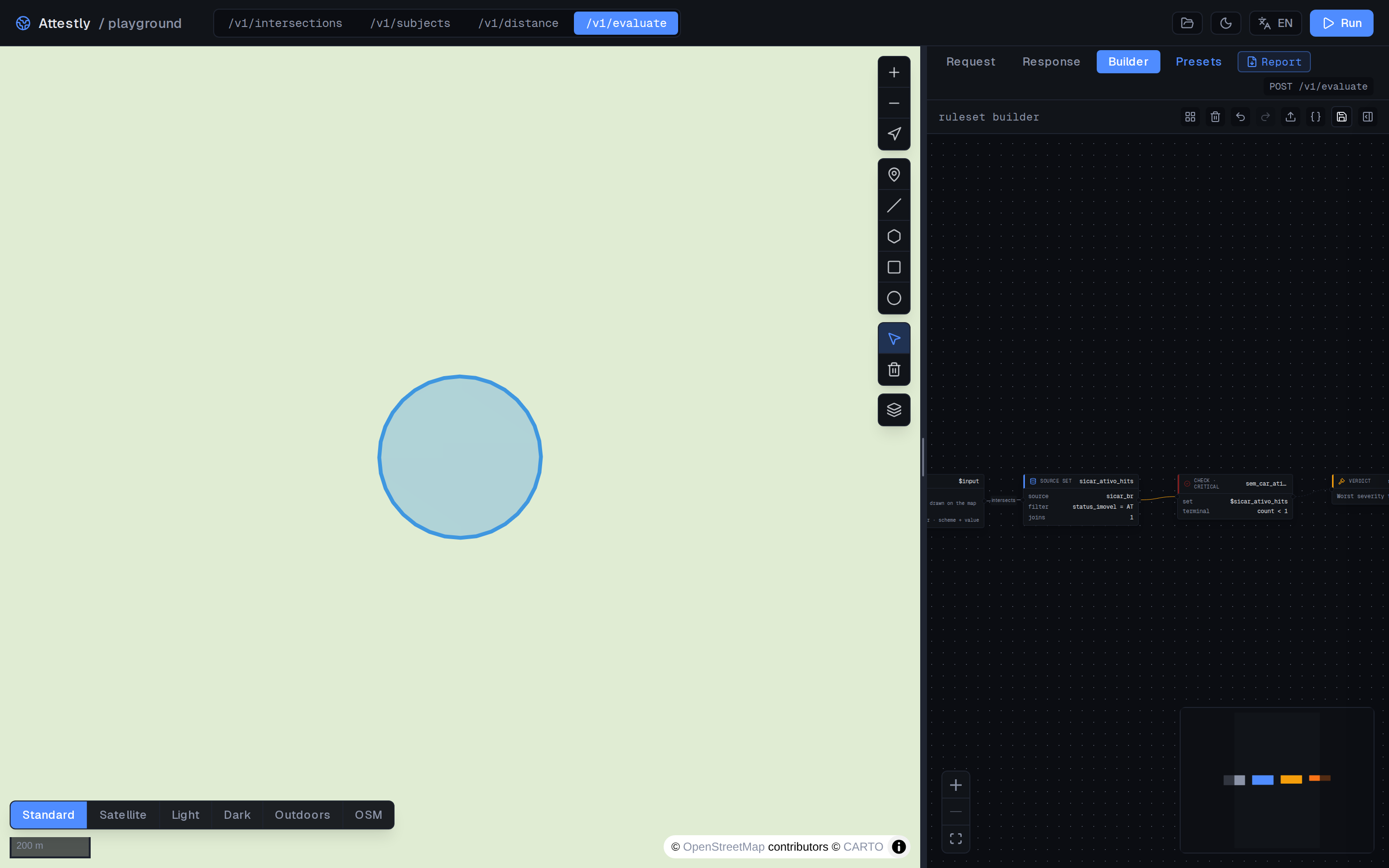
Drag from a node's output handle to another node's input. The
builder rejects connections that would create cycles or that
mismatch types.
For a `source_set`, you pick:
* The **source** from the catalog (auto-suggested via
`GET /v1/sources`).
* The **join** — `intersects`, `contains`, `within`, `covers`,
`covered_by`, `overlaps`, `touches`, `crosses`, `disjoint`,
`equals`, `dwithin`, `beyond` for spatial sets; `equals` / `ilike`
when the set is anchored on a subject register.
* The **target** — `$input` or another set in the graph.
* An optional **filter** (e.g. temporal, property-equals).
For a `check`, you pick:
* The **severity** — `critical`, `high`, `medium`, `low`, `info`.
* The **predicate** — `exists` (set non-empty) or `threshold`
(referenced projection passes a comparison).
## Connecting nodes
Drag from a node's output handle to another node's input. The
builder rejects connections that would create cycles or that
mismatch types.
 ## Run and inspect
Click **Run** in the topbar to evaluate the canvas against the
current map geometry. The panel updates with:
* The top-level `status` (`ok` / `degraded`) and `outcome`
(`compliant`, `warning`, `non_compliant`, `degraded`).
* Each check: `triggered`, `severity`, evidence list.
* Each projection: computed value.
## Run and inspect
Click **Run** in the topbar to evaluate the canvas against the
current map geometry. The panel updates with:
* The top-level `status` (`ok` / `degraded`) and `outcome`
(`compliant`, `warning`, `non_compliant`, `degraded`).
* Each check: `triggered`, `severity`, evidence list.
* Each projection: computed value.
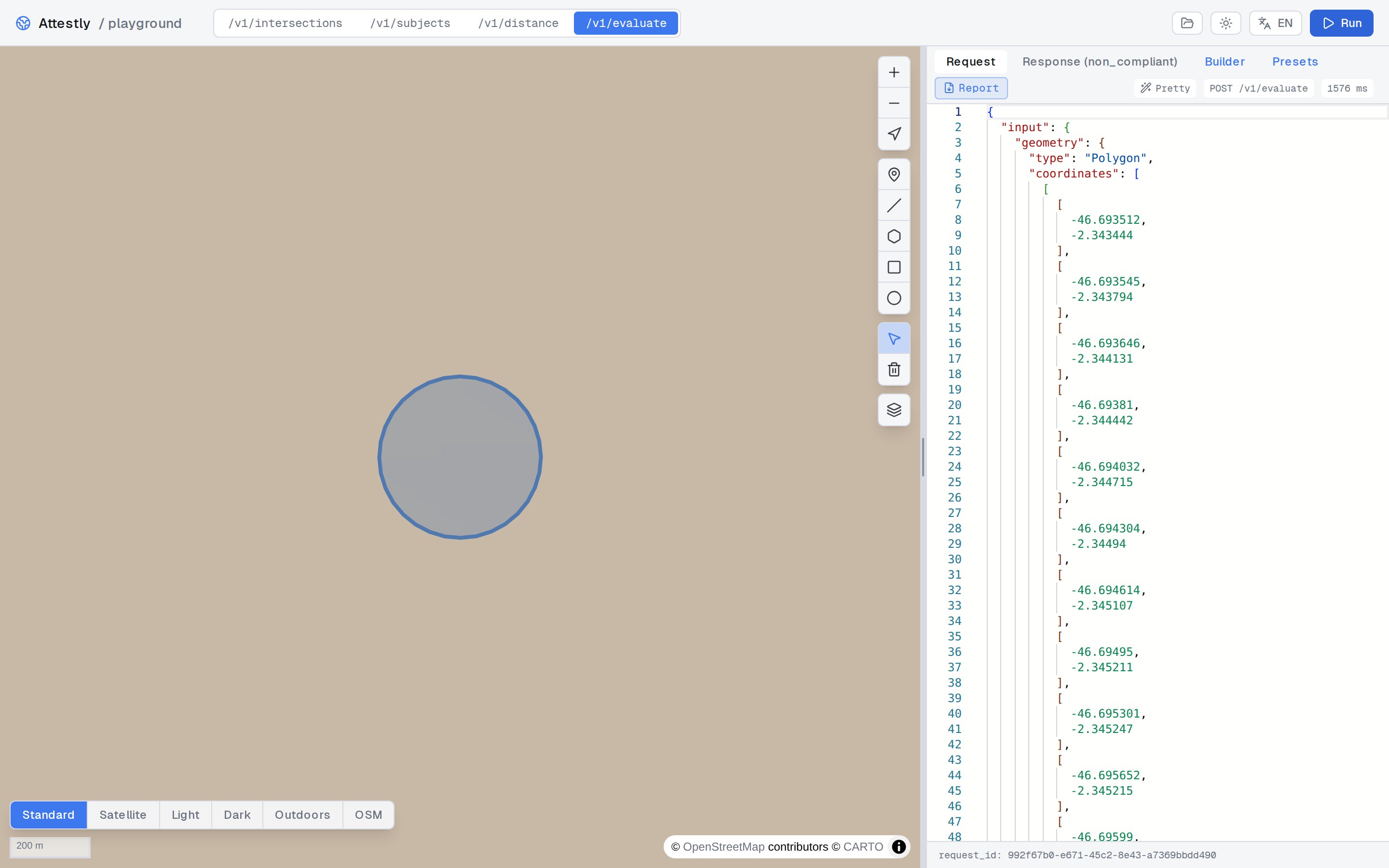
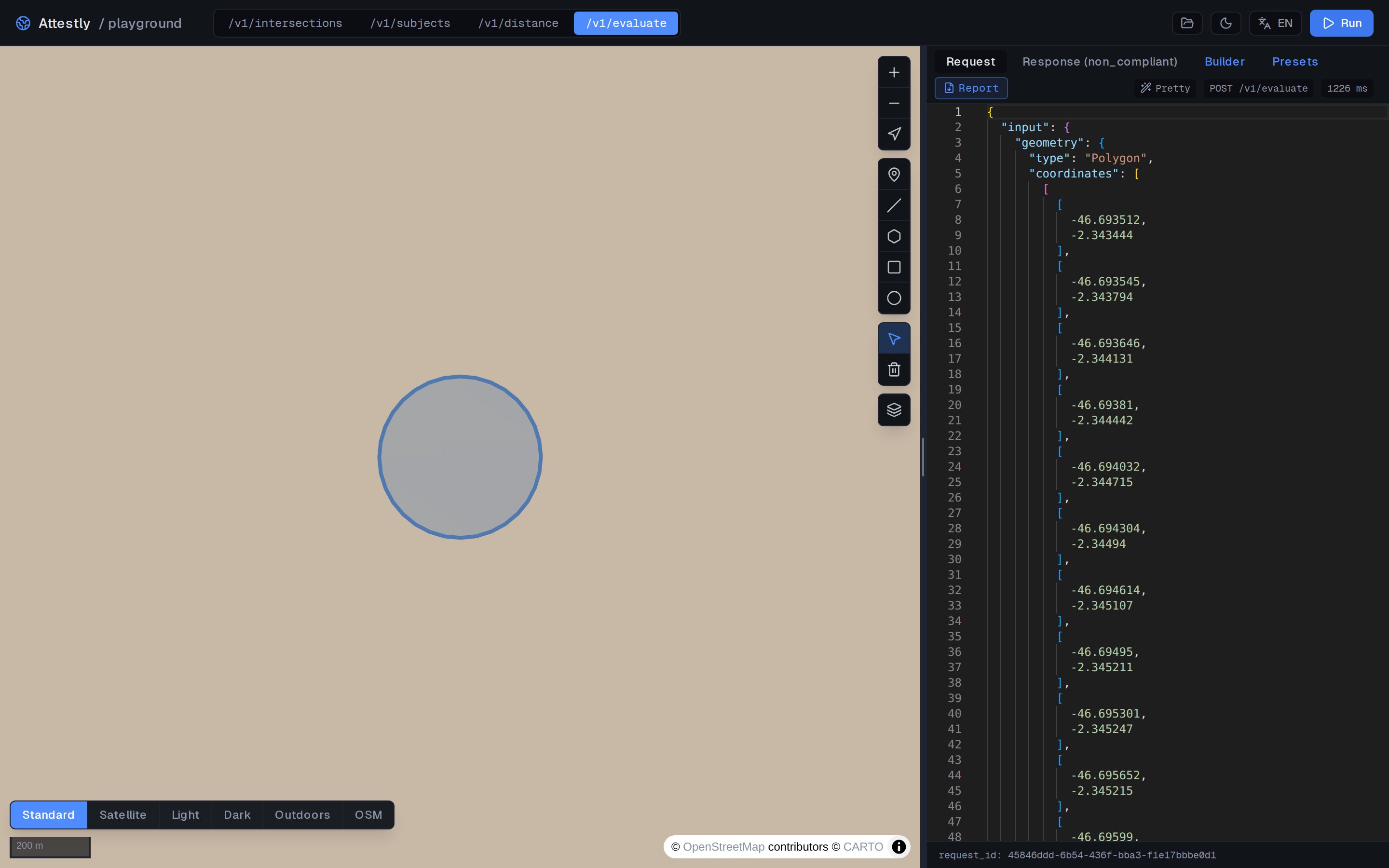 Evidence features are highlighted on the map so you can see exactly
which polygons drove the verdict.
## JSON view
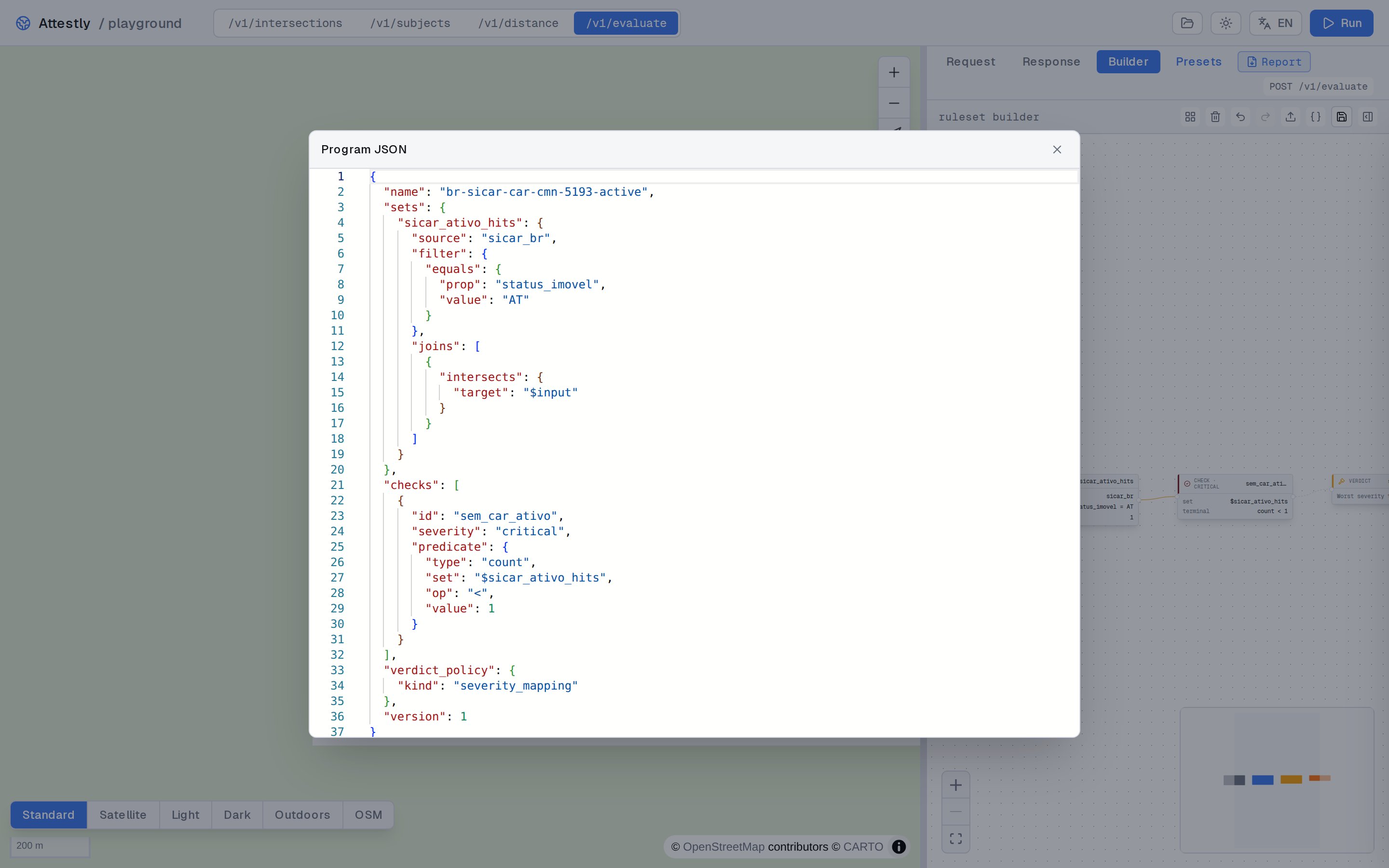
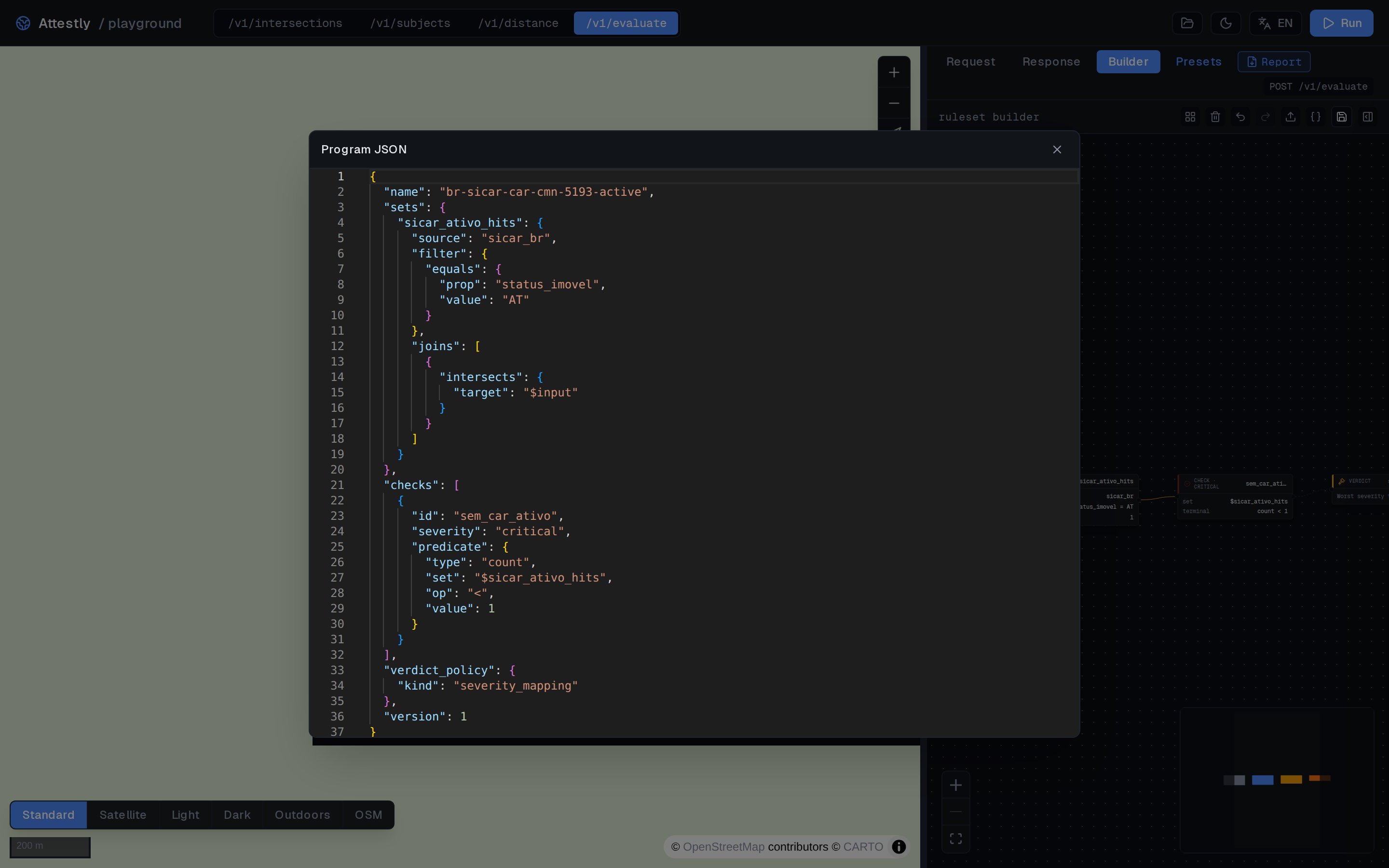
Every visual edit syncs both ways with a JSON document. Click
**Show JSON** to open the modal — copy the body to use directly with
`POST /v1/evaluate`, or paste in a ruleset to load it into the
canvas.
Evidence features are highlighted on the map so you can see exactly
which polygons drove the verdict.
## JSON view
Every visual edit syncs both ways with a JSON document. Click
**Show JSON** to open the modal — copy the body to use directly with
`POST /v1/evaluate`, or paste in a ruleset to load it into the
canvas.
 ## Templates
The sidebar offers ready-made starting points covering common
patterns:
| Template | What it shows |
| --------------------- | ------------------------------------------------------------------- |
| `overlap_ratio_tiers` | Tiered checks on overlap ratios (majority vs partial overlap). |
| `distance_tiers` | Distance-based severity tiers (very close / close / far). |
| `distance_band` | Match features in a `[min, max]` distance band. |
| `chained_sets` | One set joined against another set instead of `$input`. |
| `dynamic_buffer_app` | A buffer whose distance is read from a feature property. |
| `merged_hazard_zone` | `merge` projection unifying a set's geometries into a hazard layer. |
| `temporal_recency` | Filter to features newer/older than a relative window. |
| `multi_join` | Multiple sources in a single ruleset. |
Templates load into the canvas; from there you adapt names,
sources, severities, and thresholds to your policy.
## When to use the builder vs raw JSON
* **Builder**: exploring policies, demoing to stakeholders,
authoring a first version visually before reviewing.
* **Raw JSON**: editing a stored ruleset programmatically, code
review on a PR, automated generation from a higher-level config.
The two are interchangeable — the JSON view is canonical and the
builder is just a renderer over it.
## Templates
The sidebar offers ready-made starting points covering common
patterns:
| Template | What it shows |
| --------------------- | ------------------------------------------------------------------- |
| `overlap_ratio_tiers` | Tiered checks on overlap ratios (majority vs partial overlap). |
| `distance_tiers` | Distance-based severity tiers (very close / close / far). |
| `distance_band` | Match features in a `[min, max]` distance band. |
| `chained_sets` | One set joined against another set instead of `$input`. |
| `dynamic_buffer_app` | A buffer whose distance is read from a feature property. |
| `merged_hazard_zone` | `merge` projection unifying a set's geometries into a hazard layer. |
| `temporal_recency` | Filter to features newer/older than a relative window. |
| `multi_join` | Multiple sources in a single ruleset. |
Templates load into the canvas; from there you adapt names,
sources, severities, and thresholds to your policy.
## When to use the builder vs raw JSON
* **Builder**: exploring policies, demoing to stakeholders,
authoring a first version visually before reviewing.
* **Raw JSON**: editing a stored ruleset programmatically, code
review on a PR, automated generation from a higher-level config.
The two are interchangeable — the JSON view is canonical and the
builder is just a renderer over it.